No products in the cart.

Keep customer contact details, billing information, invoice activity and payment records connected inside Invopoint. Add a customer once, then use the same record across estimates, invoices, recurring billing and reports.
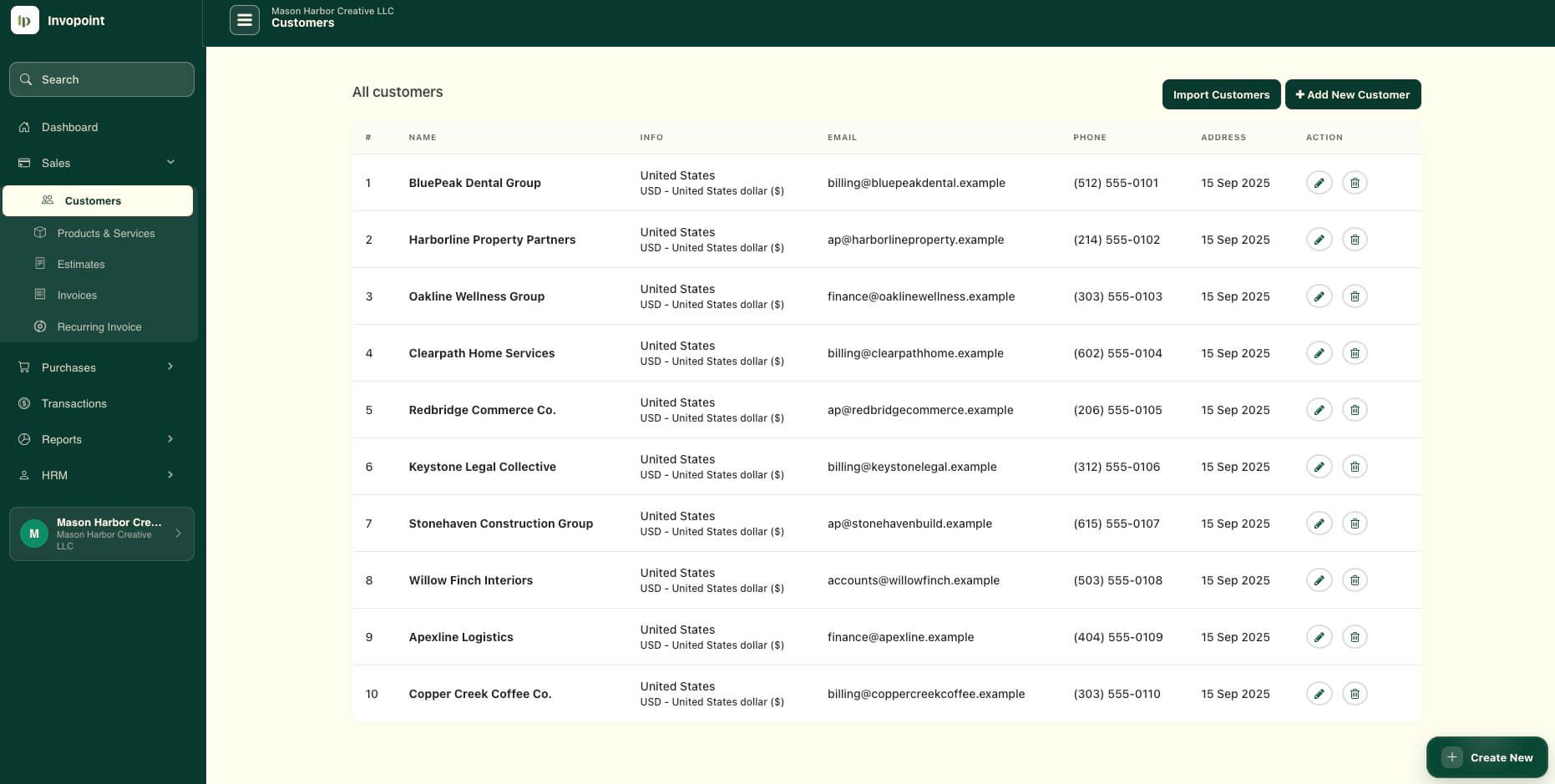
Keep business names, contacts, addresses and billing information organized in one record.
Use saved customer information when creating estimates, invoices and recurring billing records.
Keep customer billing activity connected to paid, unpaid and outstanding invoice records.
Review income and billing activity by customer without rebuilding customer data in spreadsheets.
Replace repeated data entry with structured customer records that can be used when creating invoices, estimates and other billing documents.
Customer management sits inside the same workflow as estimates, invoices, recurring billing, payments and reports, so billing information stays connected as the relationship develops.
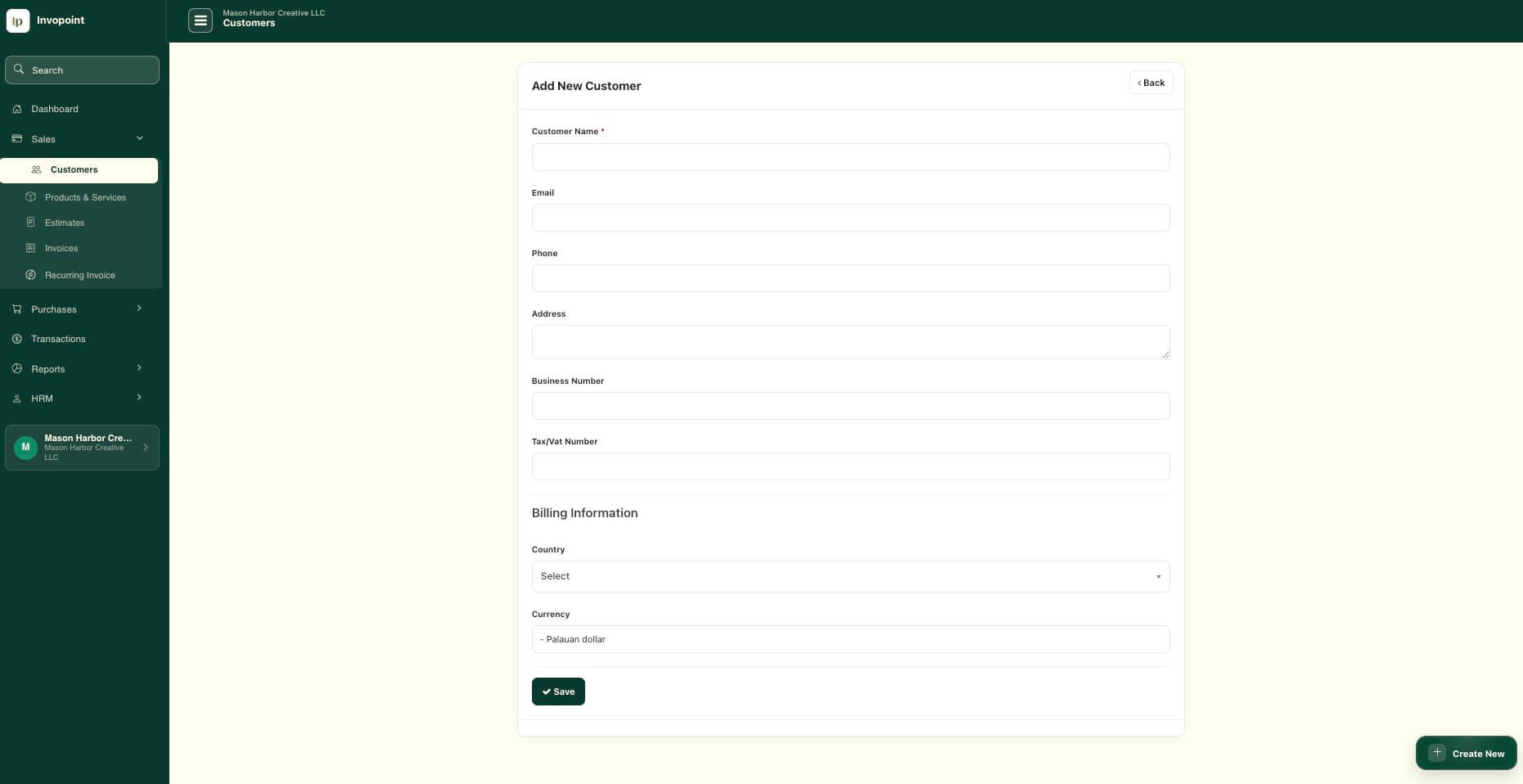
Create the customer profile and save the business and billing information you need.
Use the customer record when preparing estimates, invoices and recurring invoices.
Keep invoice and payment activity connected to the correct customer relationship.
Use customer and financial reports to understand billing activity without separate spreadsheets.
Keep the information required for day-to-day invoicing accessible from one structured customer workspace.
Maintain customer names, business details, contact information, addresses and billing data in reusable records.
Keep invoices connected to the relevant customer so billing activity remains easier to review and manage.
Create estimates for existing customers and continue the relationship through the invoicing workflow when work proceeds.
Use saved customer records for repeat billing, retainers and ongoing service relationships.
Keep payment activity connected to invoices and customer accounts for clearer balance visibility.
Review customer-level financial activity through reports without manually combining billing records from separate files.
Customer management is not a separate address book. In Invopoint, the customer record connects directly with the documents and financial activity generated throughout the B2B billing lifecycle.
Prepare estimates using existing customer information before creating the final invoice.
Core billingCreate invoices using saved customer details, payment terms and billing information.
Repeat workSupport regular billing for retainers, subscriptions and ongoing client services.
ReportingReview customer-level income information as part of the wider reporting workflow.
Invopoint keeps customer records practical and directly connected to invoicing rather than turning everyday billing into a complex CRM implementation.
Keep client details ready for project invoices, retainers, expenses and repeat engagements.
Manage customer billing information across projects, recurring services and monthly client work.
Maintain structured customer records alongside invoices, payments and financial reporting workflows.
Replace separate customer spreadsheets with reusable records directly connected to everyday billing.
Manage the customer information behind your invoices while keeping sales and payment activity connected.
Customer management in Invopoint lets you create and maintain customer records that can be reused across estimates, invoices, recurring billing, payments and reporting workflows.
Yes. Customer records are designed to reduce repetitive data entry by keeping billing and contact information available for future invoice and sales activity.
Customer records remain connected to billing activity, helping you review the invoices and financial records associated with each client.
Yes. Existing customer records can be used as part of recurring billing workflows for retainers, subscriptions and repeat services.
It is designed for small and medium businesses, consultants, agencies, accountants, contractors and other B2B businesses that regularly invoice customers.
Add customers, create invoices, track payments and review billing activity from one connected Invopoint workspace.